What the app calls on its own
A TCP latency test to your servers, DNS through the resolvers in your config, and on macOS one reachability check after the Mac wakes. That is the list.

Facet is a native Xray-core client for macOS and iPhone. It connects to the servers you already have — nothing is bundled, nothing is sold — and gives you precise control over what goes through the tunnel and what stays direct.
macOS 14 and iOS 17 · Free · Facet is a client, not a VPN service — you bring your own server.

Bring your own server
vless://, vmess://, trojan:// and ss:// links import in one step. VLESS with REALITY and XTLS Vision, VMess, Trojan and Shadowsocks 2022 are supported, over TCP, WebSocket, gRPC, HTTP/2 and XHTTP.
Every transport and REALITY setting is editable in a form — or as the raw outbound JSON, if that is faster. Latency is measured per server, so you can see which one is quickest, and Facet can pick it for you.
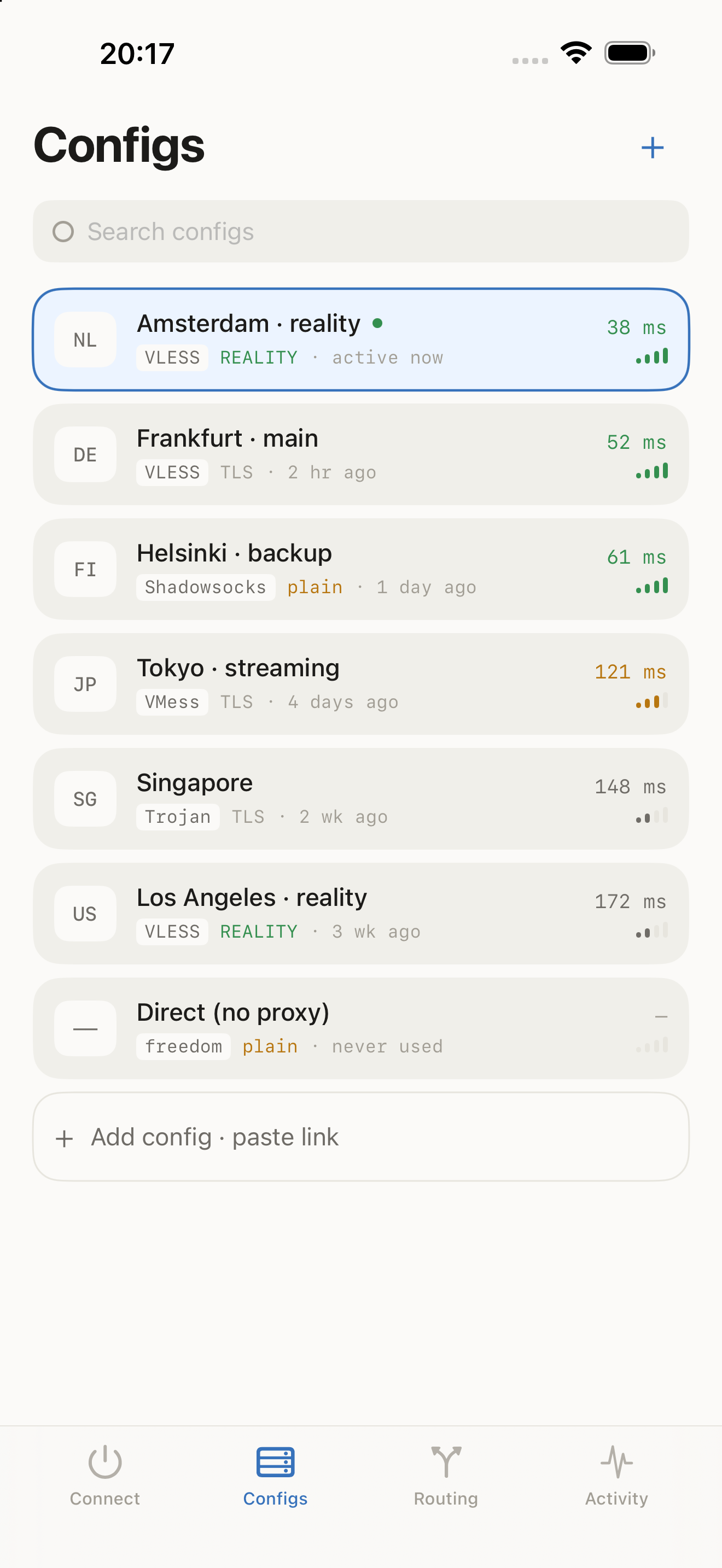
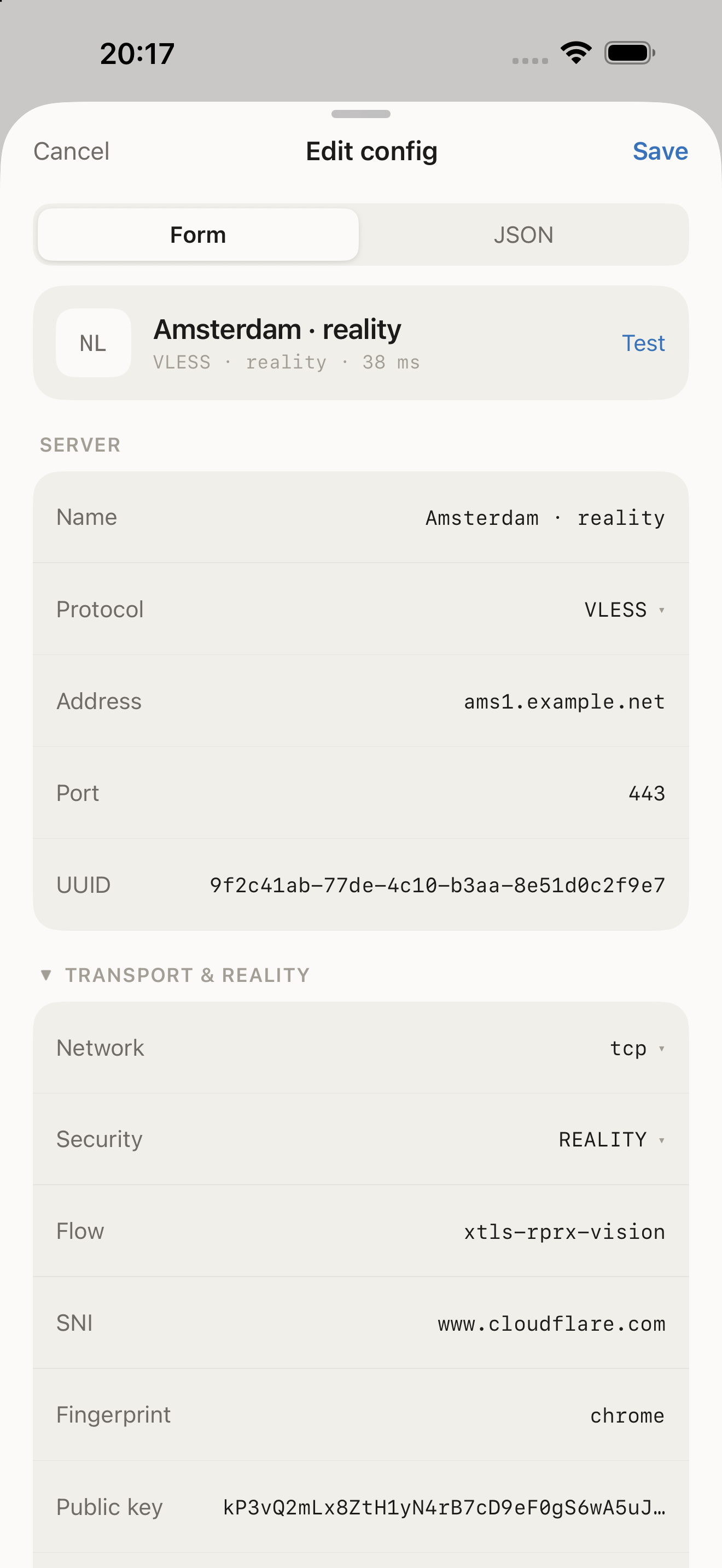
The server list, and the same server open as a form.
Routing
Match domains, IP ranges, geosite and geoip categories or ports, then choose Proxy, Direct or Block. Order sets priority, and dragging a rule changes it.
Keep several rule sets — everyday, work, travel — and switch between them in a click. An existing Xray routing config imports in one step, and each rule has its own switch, so you can turn one off while you work out which one bites.

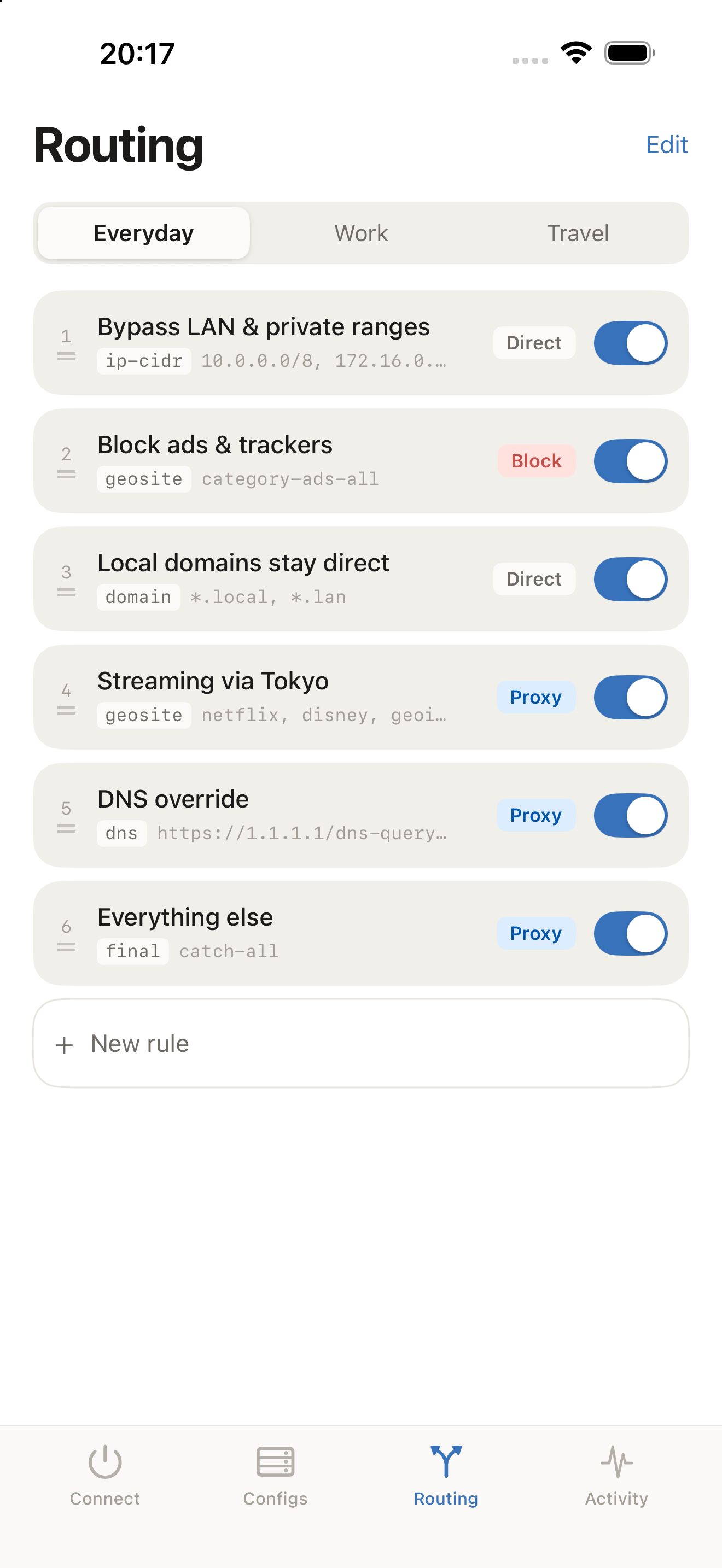
Rule sets are per device and switch in a click.
One tap, every app
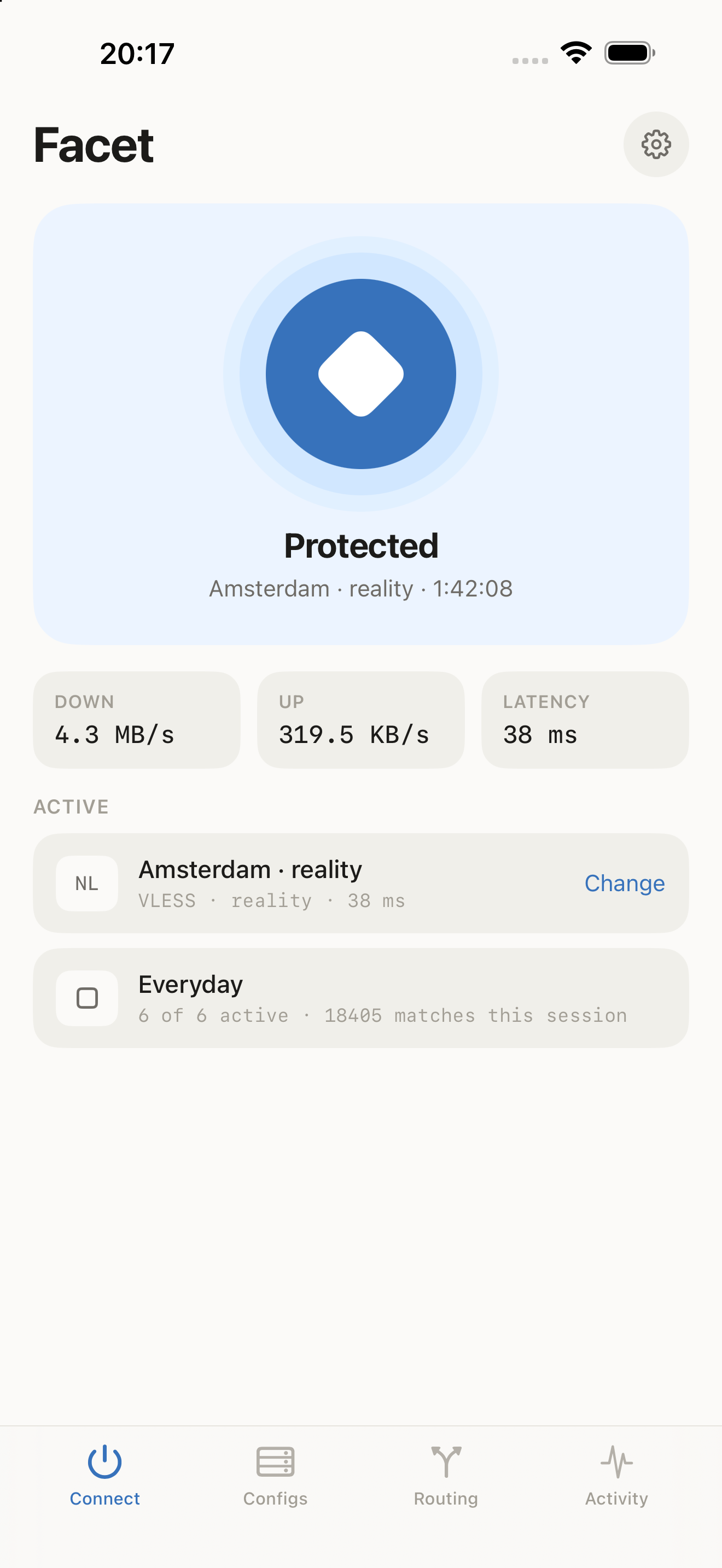
The tunnel runs as a native packet tunnel, so every app on the device is covered — not just the ones that honour a proxy. macOS asks once to allow the configuration, and after that it is a single switch.
On the Mac, Facet lives in the menu bar and stays out of the Dock. On the iPhone it is four screens and a connect button. Both share one codebase, one config format and the same Xray core.

TUN capture on the Mac — every app goes through the tunnel.
Activity
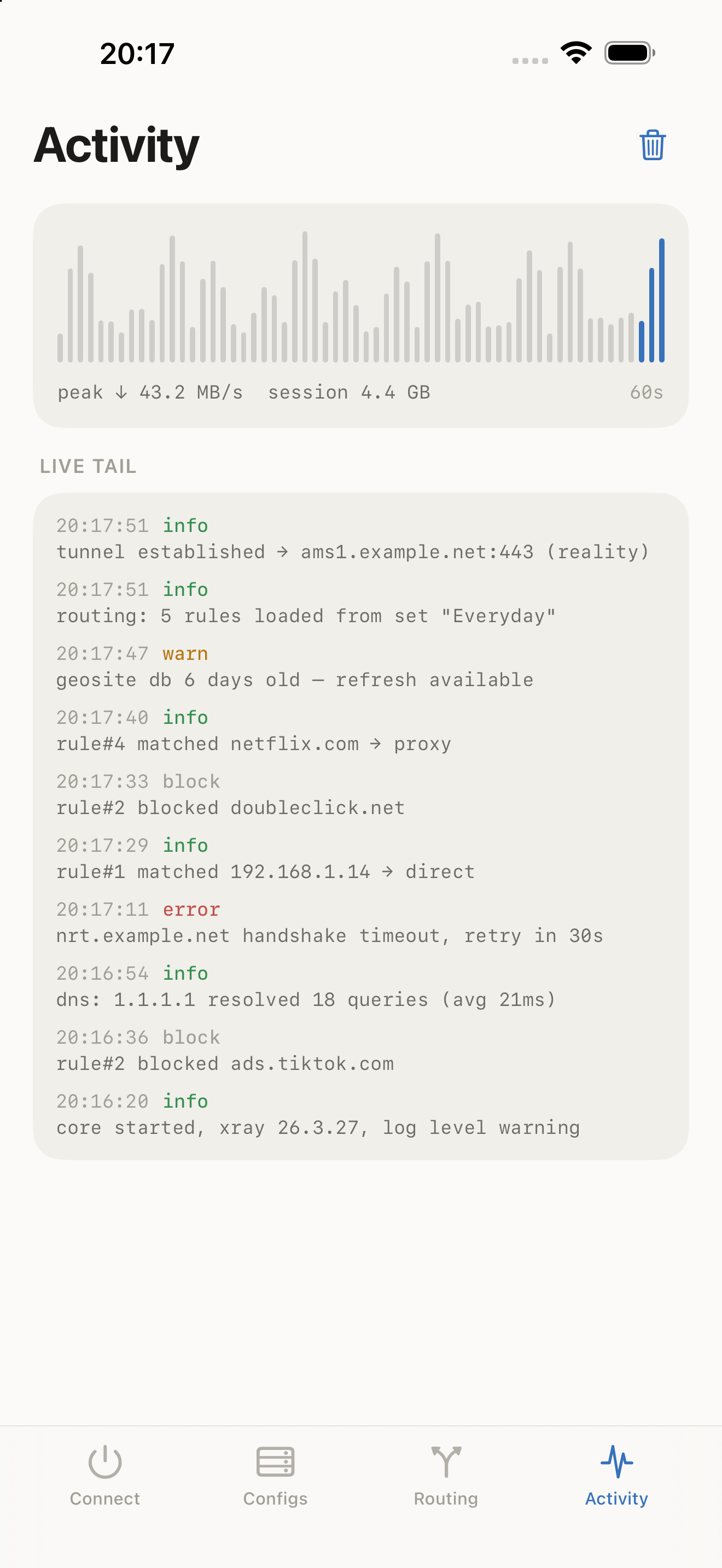
Live throughput, peak and session totals, and the core's own log right in the app. When a rule matches, you see it: rule#4 matched netflix.com → proxy, rule#2 blocked doubleclick.net.
Handshake failures, DNS timings and core start-up all land in the same tail, so working out why a site is slow does not mean guessing.

Private by construction
Facet has nothing to collect with. There is no sign-in, no telemetry, no crash reporting and no third-party SDK in the app. Your configurations, keys and rules stay in the app's own container on your device.
Your traffic goes to the server you configured and nowhere else — which also means the operator of that server can see it, exactly as any VPN provider could. Choose servers you trust.
A TCP latency test to your servers, DNS through the resolvers in your config, and on macOS one reachability check after the Mac wakes. That is the list.
Pressing Update on the Mac downloads the Xray core or the geo databases from their public GitHub releases. Nothing is sent along with the request.
Facet embeds Xray-core, open-source under MPL-2.0. It is a client: it does not provide VPN service, and you need access to a compatible server to use it.
And the rest
VLESS with REALITY and XTLS Vision, VMess, Trojan and Shadowsocks 2022, over TCP, WebSocket, gRPC, HTTP/2 and XHTTP.
Edit a server as fields, or switch to the outbound JSON and paste what your provider sent you. Both views stay in step.
Every config is timed and ranked with a signal bar. Turn on auto-pick and Facet re-tests every ten minutes and moves to the fastest.
Everyday, work, travel — named sets you switch between, each with its own rules, priorities and per-rule switches.
Match whole categories — category-ads-all, netflix, geoip:jp — and refresh the databases when they age.
The resolvers are part of the generated configuration, and a routing rule can send DNS through the tunnel or around it.
No Dock icon, no window in the way. The popover opens from the menu bar, and can launch at login.
Both apps follow the system appearance, and the Mac app can be pinned to light or dark on its own.
Share links from the clipboard, and an existing Xray routing config imported whole rather than retyped.
Free, for macOS and iPhone. No account, no subscription — and no servers of ours, because Facet connects to yours.
Requires macOS 14 or later, or iOS 17 or later · iPhone only · You need access to a compatible Xray server